Home Quote Journey
End-to-End Redesign
Redesigning a 15-step insurance quote flow to eliminate jargon, rebuild accessibility from the ground up, and give users the confidence to complete a purchase — not abandon it.
Context & Problem Space
A revenue-critical journey with dangerous friction
Aviva's home insurance quote journey is a primary revenue driver — but internal analytics showed high drop-off between property details and coverage selection, long completion times of 6–9 minutes, and low mobile completion rates.
I was tasked with a rapid UX audit and strategic redesign. The core insight: users weren't failing because of complexity — they were failing because the system spoke insurance language, not human language.
"Insurance is complex by nature. But the quote journey didn't have to be."
Users encountered terms like "replacement cost," "sewer backup," and "comprehensive coverage" with zero explanation. Many didn't know whether they were choosing the right coverage — so they gave up. My goal: rebuild their confidence, one step at a time.
Key UX Issues
Six friction points driving abandonment
Through Nielsen's heuristic evaluation and competitive benchmarking, I identified the critical failure points across the 15-step quote journey.
Cognitive Overload
29+ fields, many repetitive. High form fatigue caused abandonment before coverage selection.
Jargon Anxiety
"Roof construction type," "rebuild value," "liability limit" — no explanations. Users guessed or quit.
No Real-Time Validation
Errors only shown after submission. Retrace steps to fix — massively frustrating on mobile.
Premature Upsells
Add-ons appeared before users understood core coverage. Created distrust and decision paralysis.
Forced Account Creation
Required after quote generation — a friction wall at the highest-motivation moment.
Poor Mobile Experience
Forms were desktop-designed. Low completion on mobile despite high mobile traffic.
Existing flow — drop-off points highlighted
"Users weren't struggling with insurance — they were struggling with the language of insurance. That was the real gap."
— Surbhi Mahendru, Senior UX Designer
My Process
Audit-first, user-validated redesign
Heuristic Eval
Nielsen's 10 heuristics across all 15 steps
Benchmarking
AllState, Admiral, TD Insurance — best practices
Content Audit
Collaborated with Legal + Underwriting on rewrites
Redesign
Flow consolidation, accessible components, validation
A11Y Audit
WCAG 2.1 AA, ARIA, NVDA screen reader testing
The Solution
Six redesign decisions that changed the outcome
Plain-Language Rewrites + Contextual Help
Collaborated with Legal and Underwriting to simplify 20+ high-friction questions without losing regulatory compliance. Every confusing term now has a "What this means" tooltip with a plain-language explanation and a real-world example. Users choose coverage with confidence, not anxiety.
Flow Consolidation — 10 Steps → 6
Merged related questions into single screens based on user mental models. Removed non-value-add screens. Progressive disclosure — complex options only shown when needed.
Address Intelligence — Auto-Populate Property Data
Postal code lookup auto-populates property details — lot size, year built, neighbourhood data. Reduced manual inputs by ~30%, shortening completion time to under 3 minutes.
Coverage Tier Comparison — "Most Popular" Nudging
3-tier comparison (Basic / Standard / Premium) with social proof — "Most selected for homes like yours." Add-ons delayed until after primary selection to build confidence first.
Real-Time Validation + Error Recovery
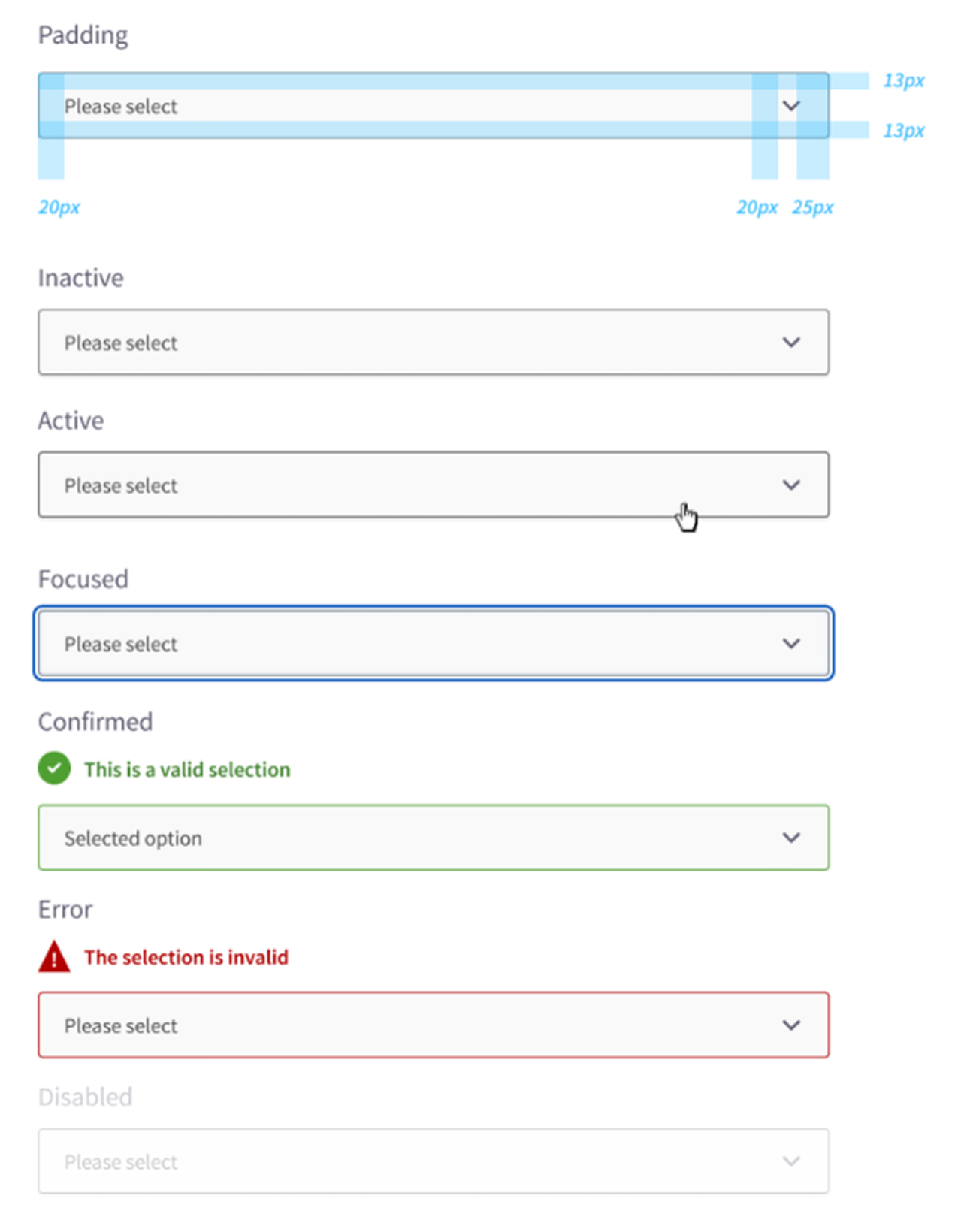
Inline validation as users type — no waiting until submission. Error messages in plain language with specific recovery guidance: "Enter a 6-digit postal code (e.g. M5V 3A8)."
Guest Flow — Save Quote Without Account
Removed mandatory account creation. Quote emailed automatically with one click. Account creation optional — preserving the high-motivation purchase moment.
Accessibility-First Component Rebuild
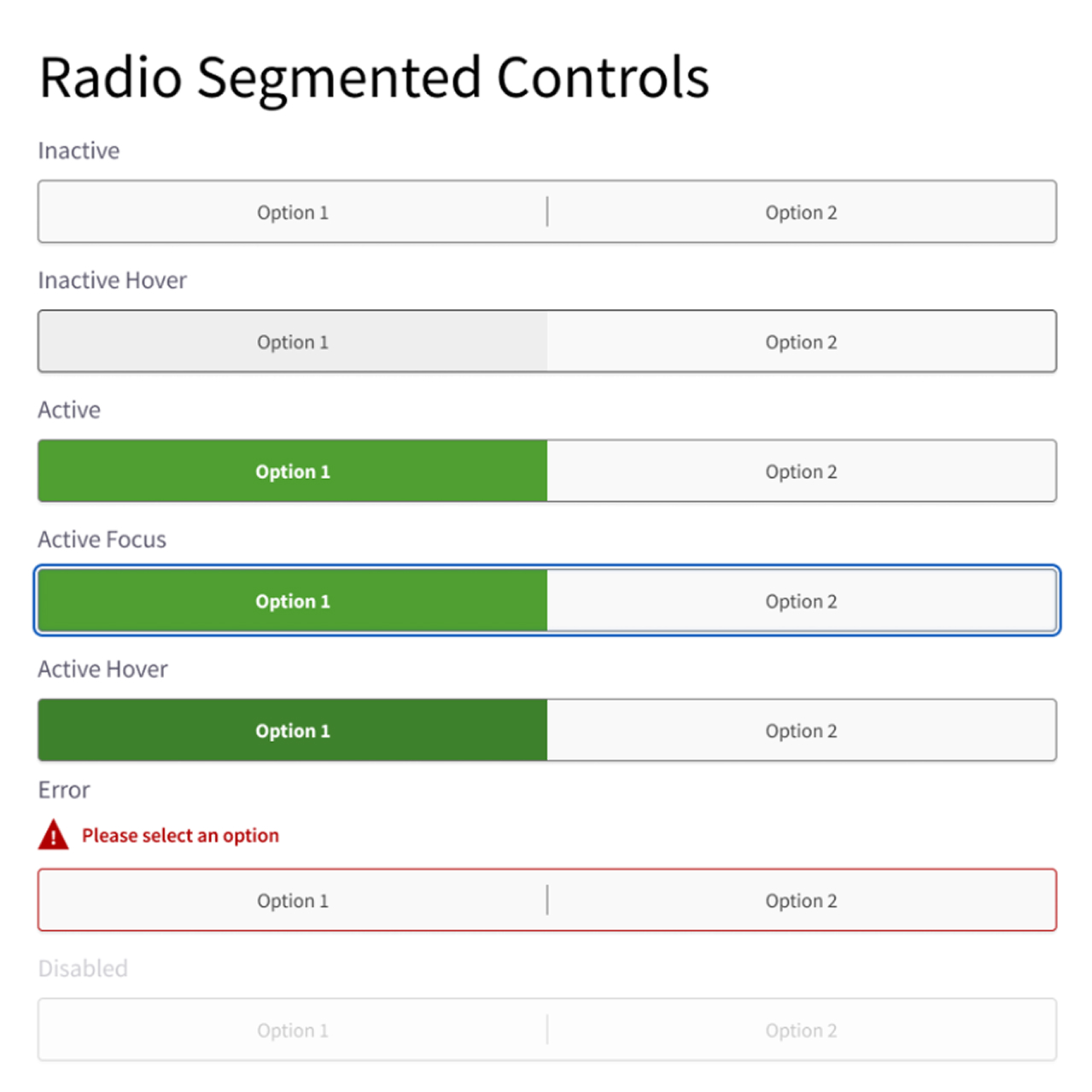
All components rebuilt to WCAG 2.1 AA: clear focus states, ARIA labels, radio groups, progress indicators. Tested with NVDA screen reader — complete flow works without mouse.
Accessibility Leadership
WCAG 2.1 AA — inclusive by design
I led the accessibility initiative across Aviva's entire digital department — not just this one journey. 1 in 5 Canadians live with a disability. 10% of internet users rely on assistive technologies.
Colour Contrast — 4.5:1 minimum
Updated every component to meet WCAG AA contrast ratios. Eliminated colour-only feedback — added icon + text alternatives for all states.
Keyboard Navigation — Full Coverage
Defined 2px focus rings for every interactive element. The entire 6-step quote flow is fully keyboard-navigable without mouse or touch.
Screen Reader — ARIA + NVDA Tested
Implemented ARIA labels, roles, and live regions with the development team. Progress, validation messages, and options all announced correctly.
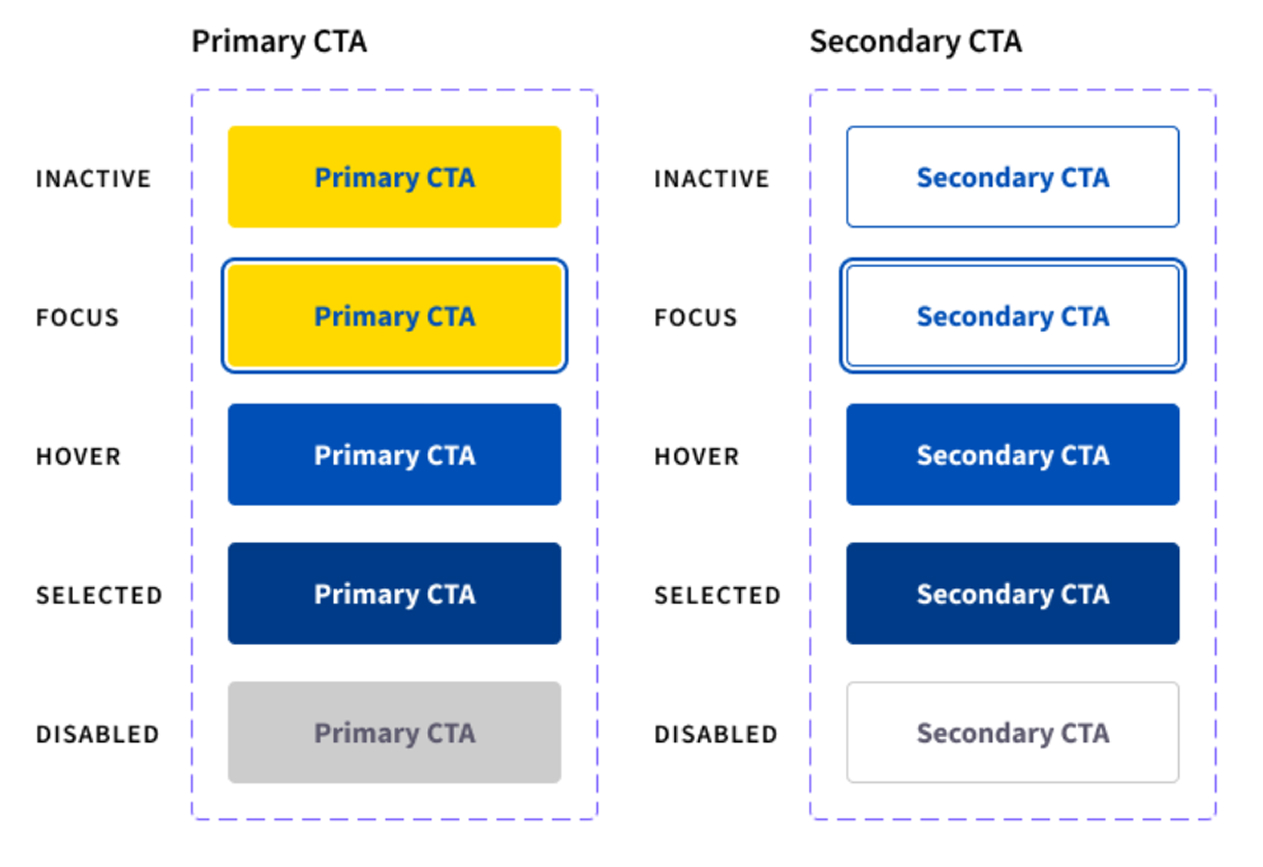
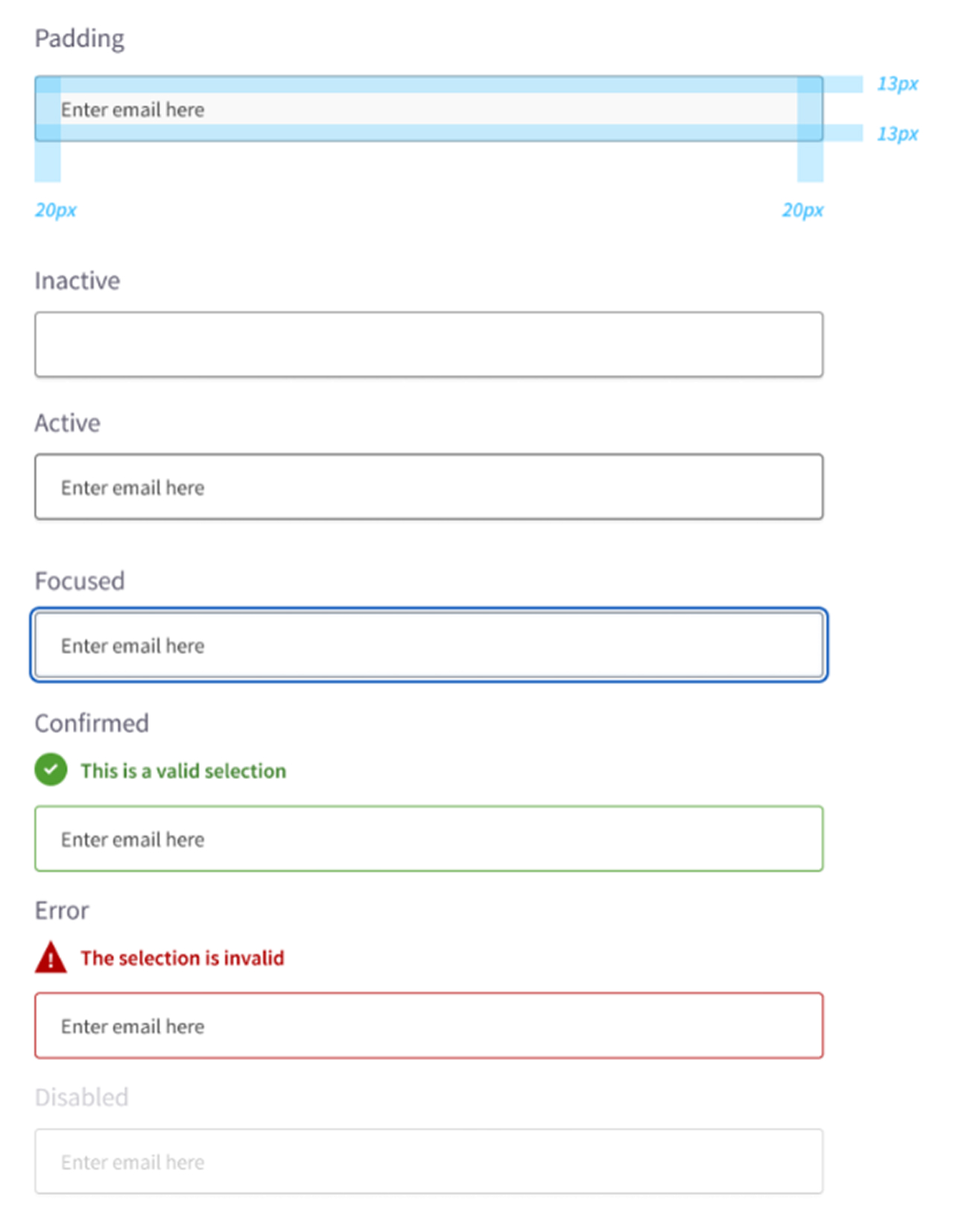
All 5 Component States Defined
Inactive · Focus · Hover · Selected · Disabled — all states communicate through colour, icon AND text. Never colour alone. Full WCAG 1.4.1 compliance.
Before & After
A journey that finally speaks human
- 10 steps with 29+ fields, many repetitive
- Insurance jargon — zero definitions or guidance
- Errors shown only on form submission
- Add-ons before core coverage is chosen
- Mandatory account creation before purchase
- 6–9 minute average completion time
- No mobile optimisation
- 6 steps — 40% fewer screens, same data
- Plain-language rewrites + contextual tooltips
- Real-time inline validation as users type
- Add-ons introduced after core coverage chosen
- Guest quote + purchase flow — account optional
- ~3 minutes with address intelligence auto-populate
- Mobile-first form patterns, full keyboard support
Impact & Results
Measurable outcomes and industry recognition
Quote Completion Rate
Across the redesigned home insurance quote journey, measured against the baseline.
Drop-off Rate
Significant reduction in user abandonment between property details and coverage selection.
Steps Reduced
40% flow reduction while capturing the same required data — no compliance trade-off.
Toronto Star Diamond 2021
Aviva named Readers' Choice Diamond winner in both Home Insurance and Car Insurance.
Manual Input Fields
Address intelligence auto-population reduced required manual inputs by approximately 30%.
WCAG 2.1 AA Compliant
Full accessibility compliance across all 6 steps, all components, all devices — NVDA tested.
Key Learnings
"The biggest wins came from rewrites, not redesigns."
UX Writing is Design
The largest conversion gains came from changing what the elements said, not where they were placed. Legal-approved plain-language rewrites moved the completion rate more than any visual change.
Accessibility = Conversion Optimisation
They're the same goal: both remove barriers for real people. WCAG compliance and higher completion rates are not in tension — they reinforce each other.
Collaborate with Legal Early
Insurance has strict compliance requirements. Bringing Legal in during ideation — not at review — prevented late-stage rework and built trust with the team.
Progressive Disclosure is Power
Hiding complexity until users need it — not hiding it forever — is the key insight. The information is still there; the timing is what changes the experience.
Final Reflection
"When users feel confident, they complete. When they feel confused, they leave."
The Home Quote Journey taught me that UX writing is as important as visual design — sometimes more so. The biggest gains came from changing what the elements said, not how they looked. Working within Legal and Underwriting constraints to simplify language was genuinely hard, but the results — plus 13% completion — proved every difficult conversation was worth it.
Project Screens
Design Screens & Deliverables
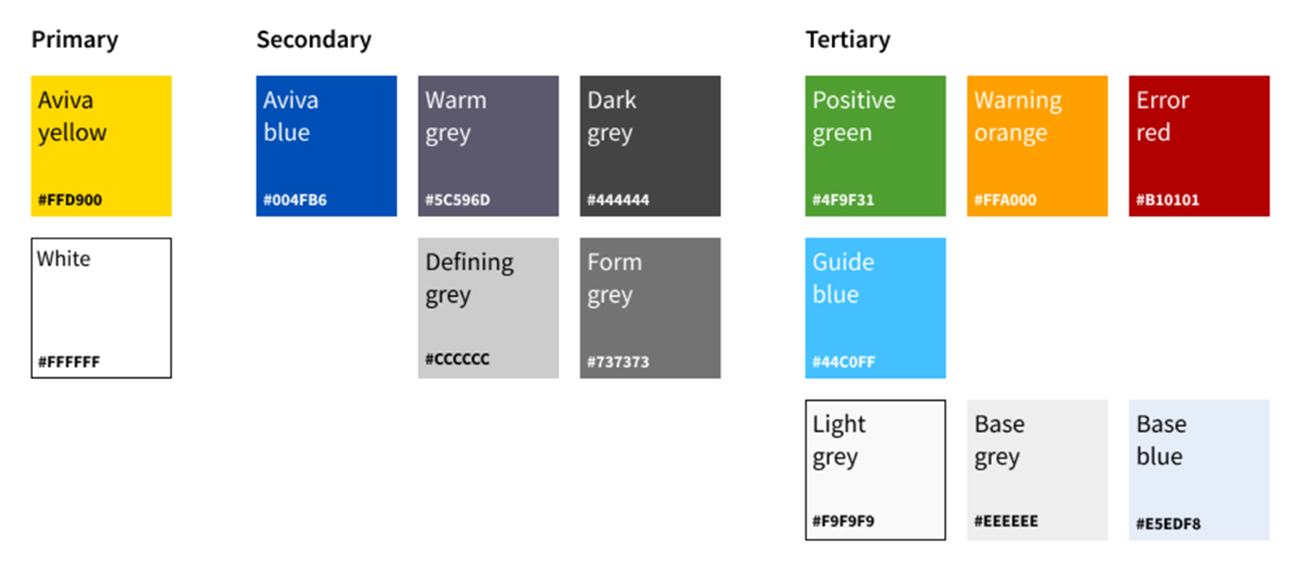
Aviva colour palette 2022, Buttons, Radio Segmented controls, Dropdown, Texbox States
Creating Contextual Designs
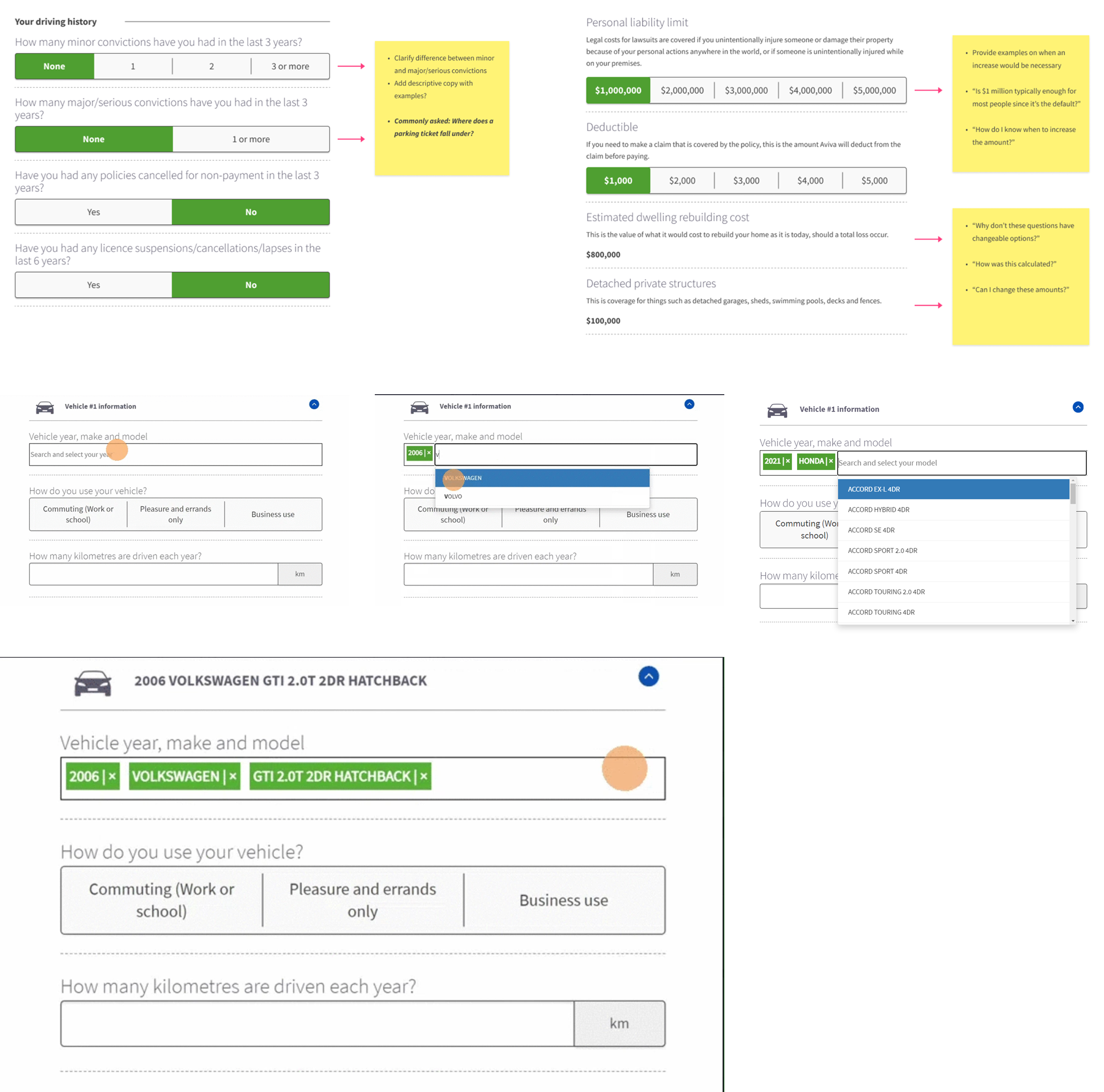
Project Screens
Aviva & Home Quote Journey
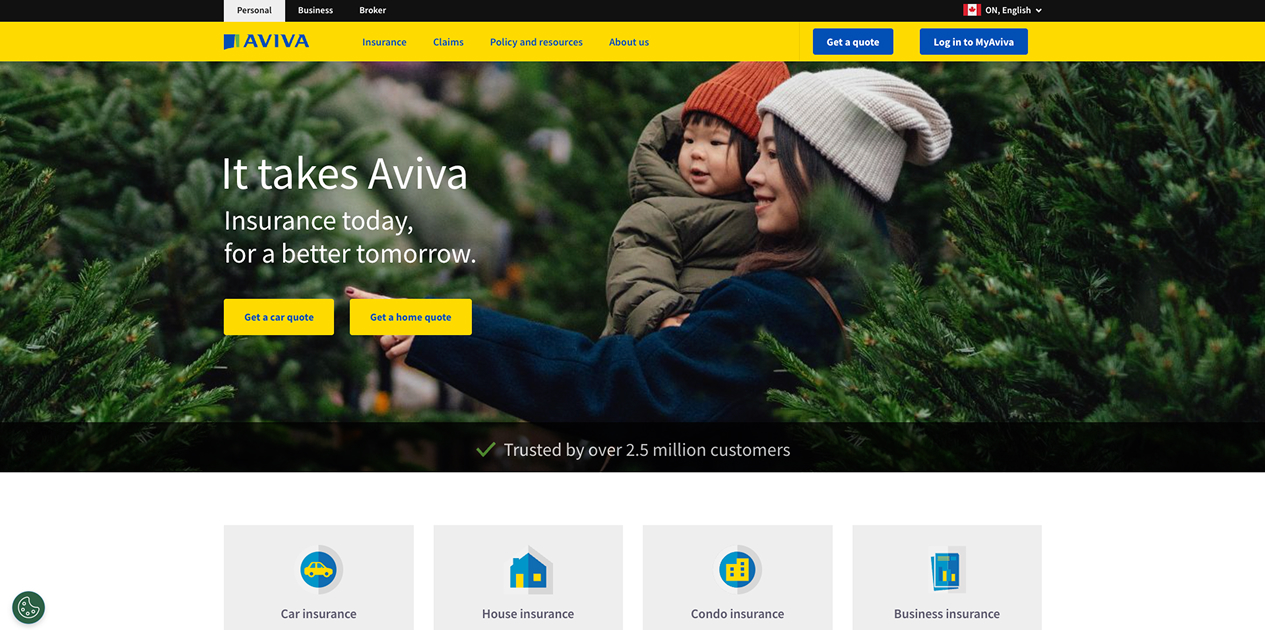
💡 Step 1: Get Your Home Insurance Quote
Navigate tohttps://www.aviva.ca/en/ and click “Get a home quote.” Get a home quote
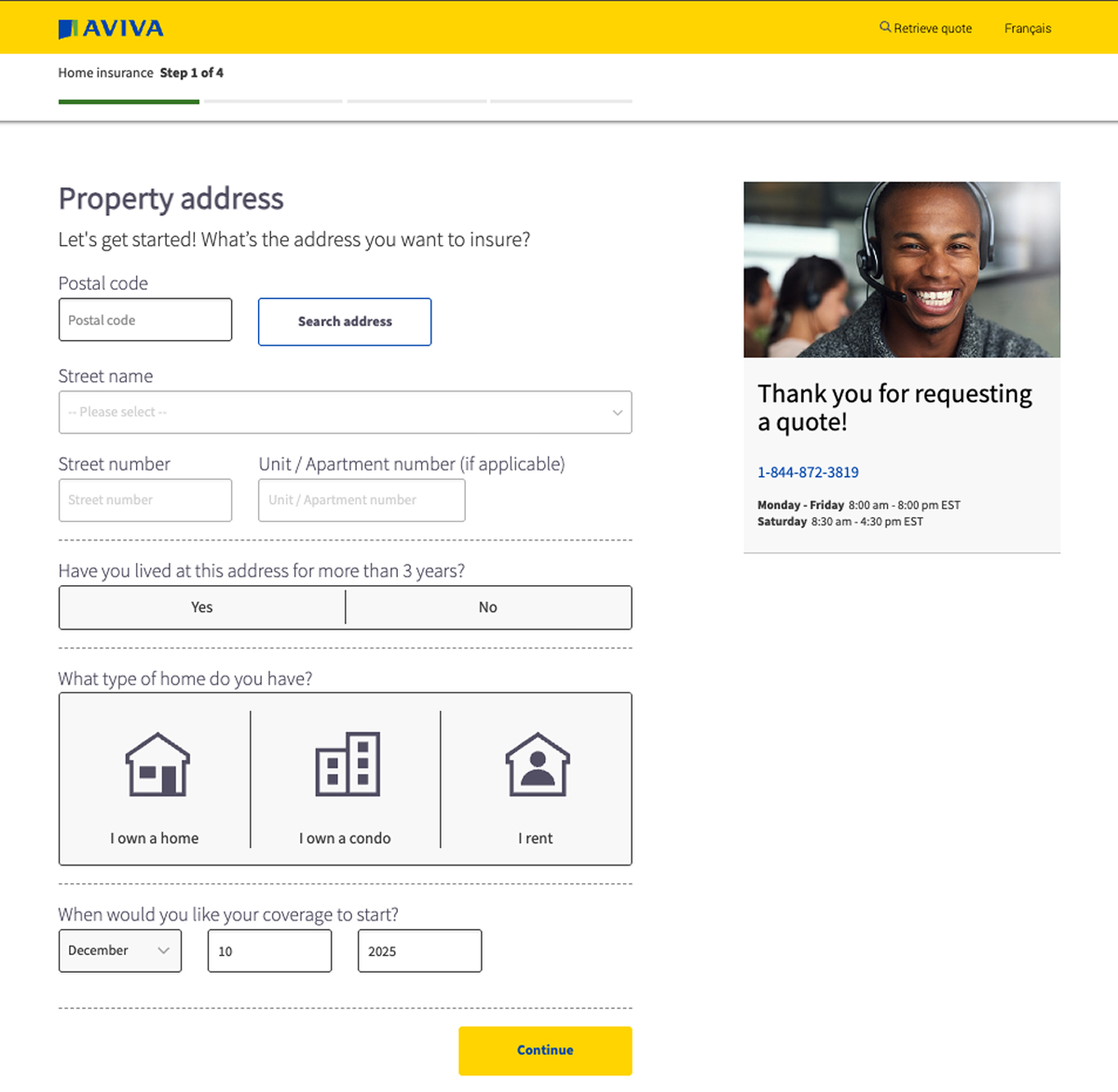
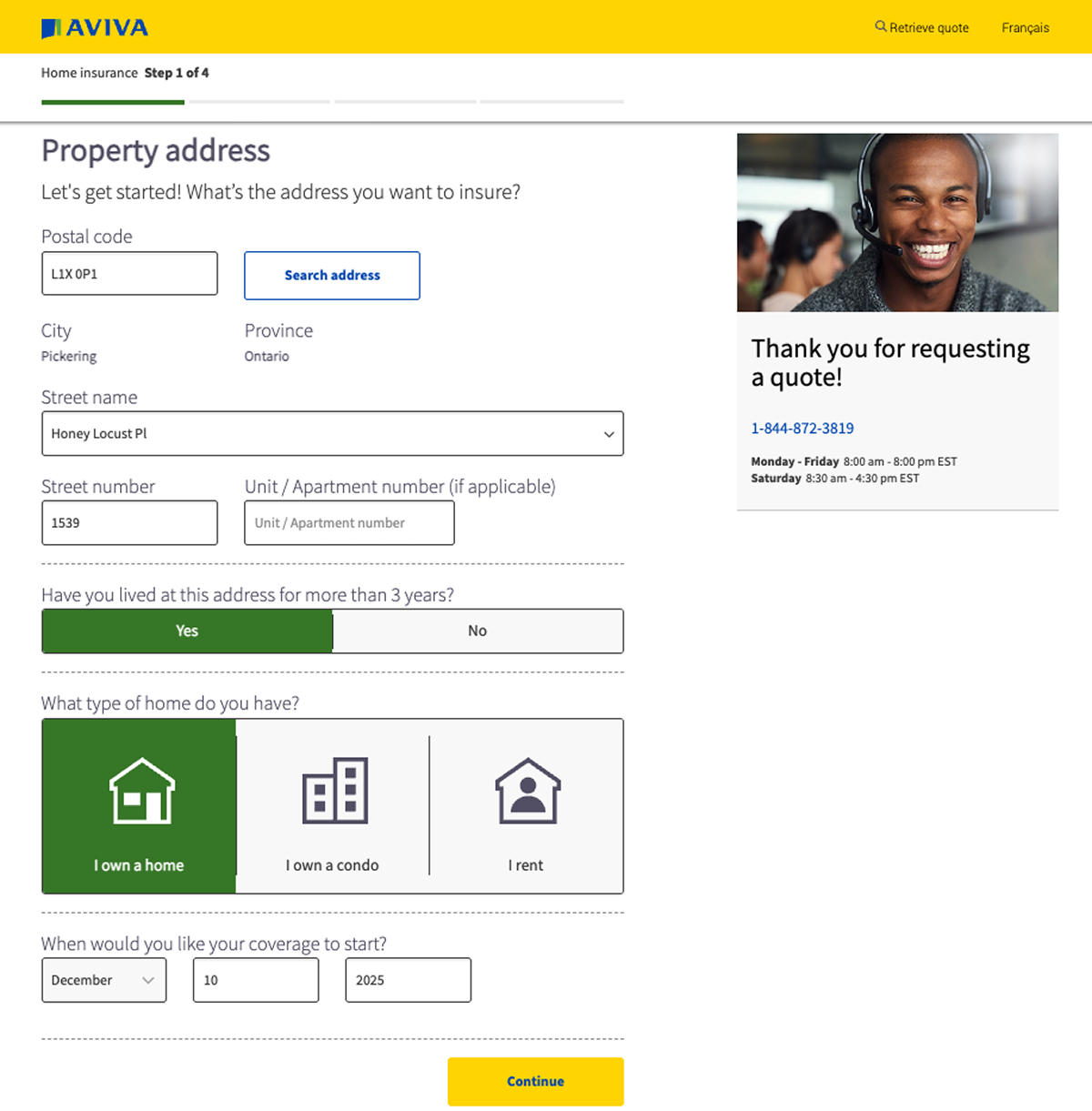
💡 Step 2: Enter Your Property Details
Enter your postal code and search for your address. Select your home type and choose the coverage start date.
💡 Step 3: Tell Us About Your Home
Answer a few questions about your property details and click Continue.
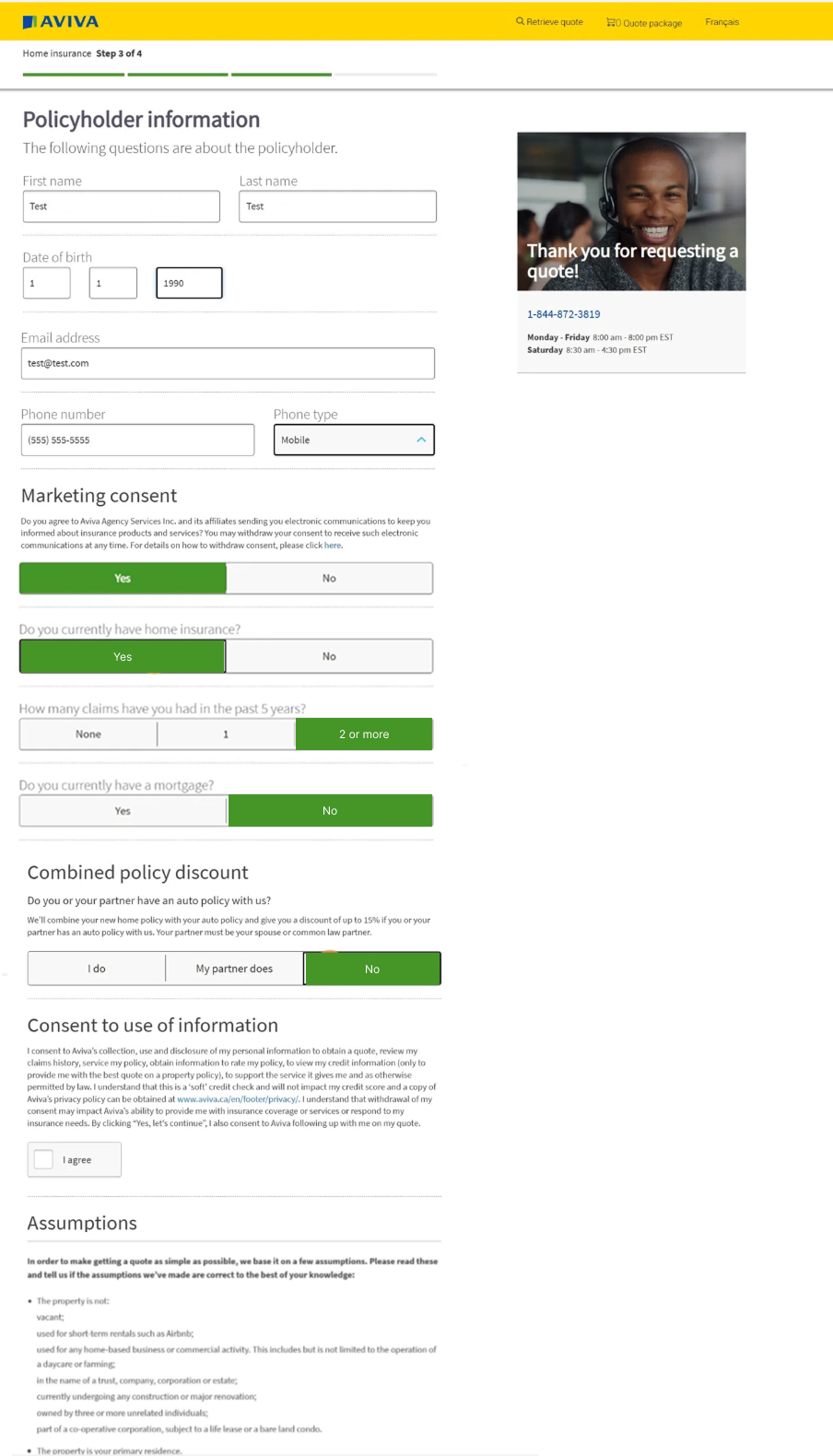
💡 Step 4: Policyholder Information
💡 Step 4: Policyholder Information:
your personal details and provide your home insurance history.
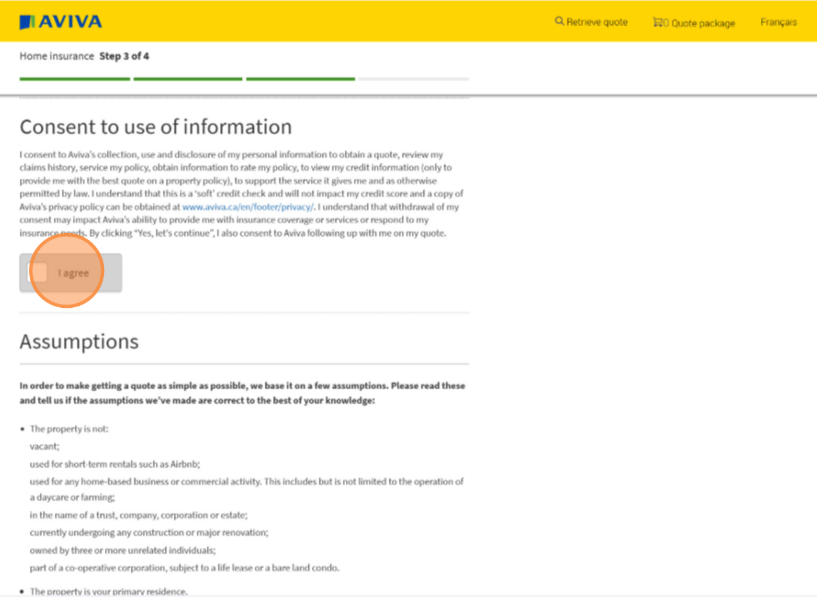
💡 Step 5: Consent & Assumptions Review:
Review and agree to the soft credit check and confirm the listed assumptions.
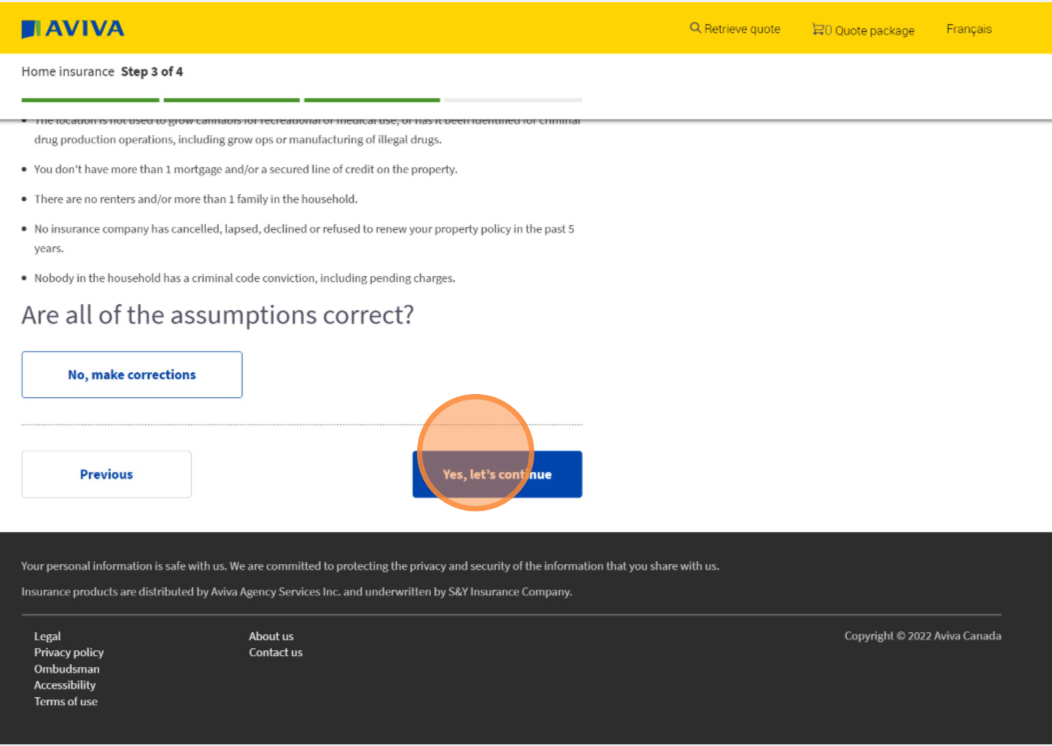
💡 Step 6: Verify Your Information:
Confirm that all details are correct or make changes if needed.
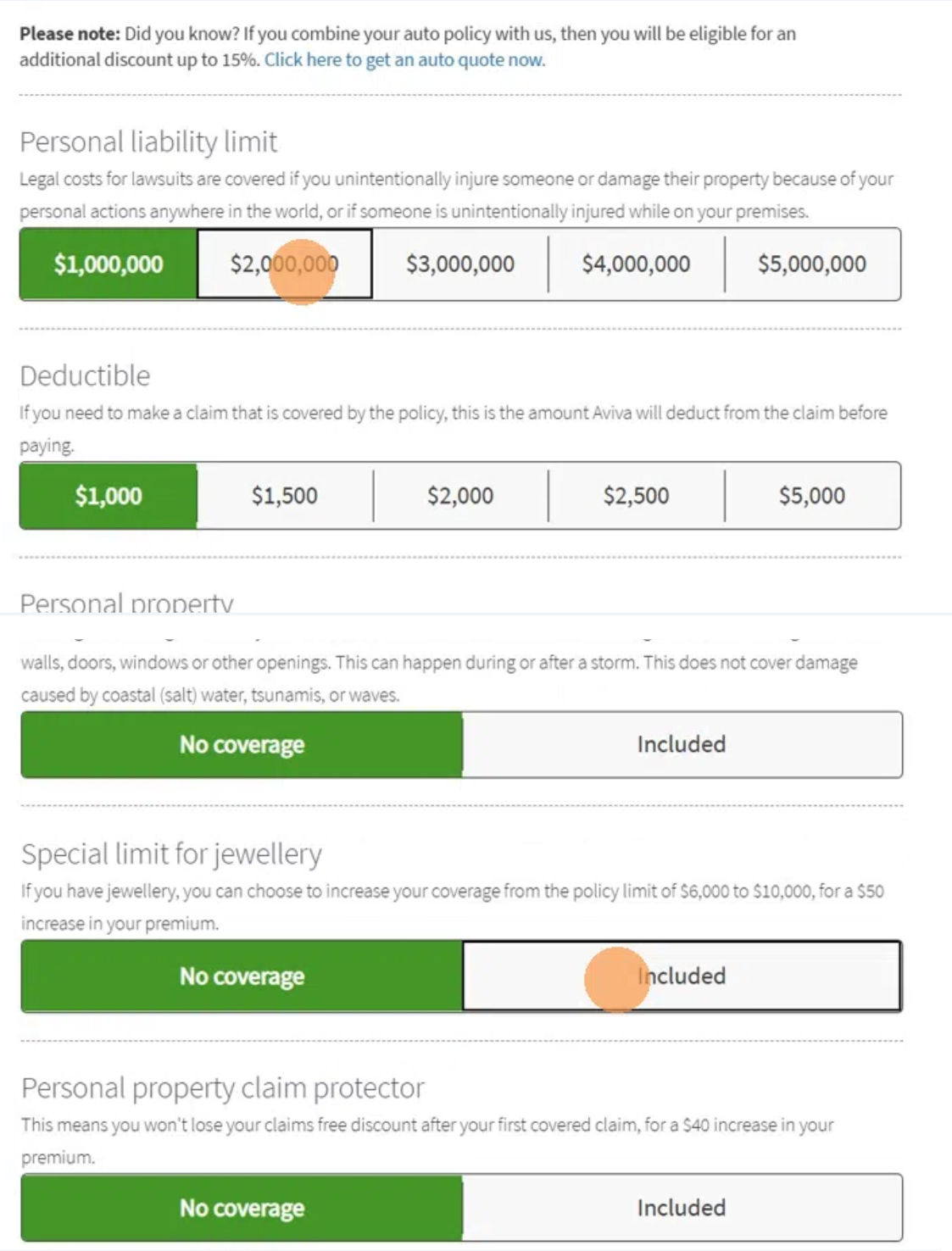
💡 Step 7: Customize Your Coverage
Select your coverage limits, deductibles, and any additional options.
💡 Step 8: View Your Quote
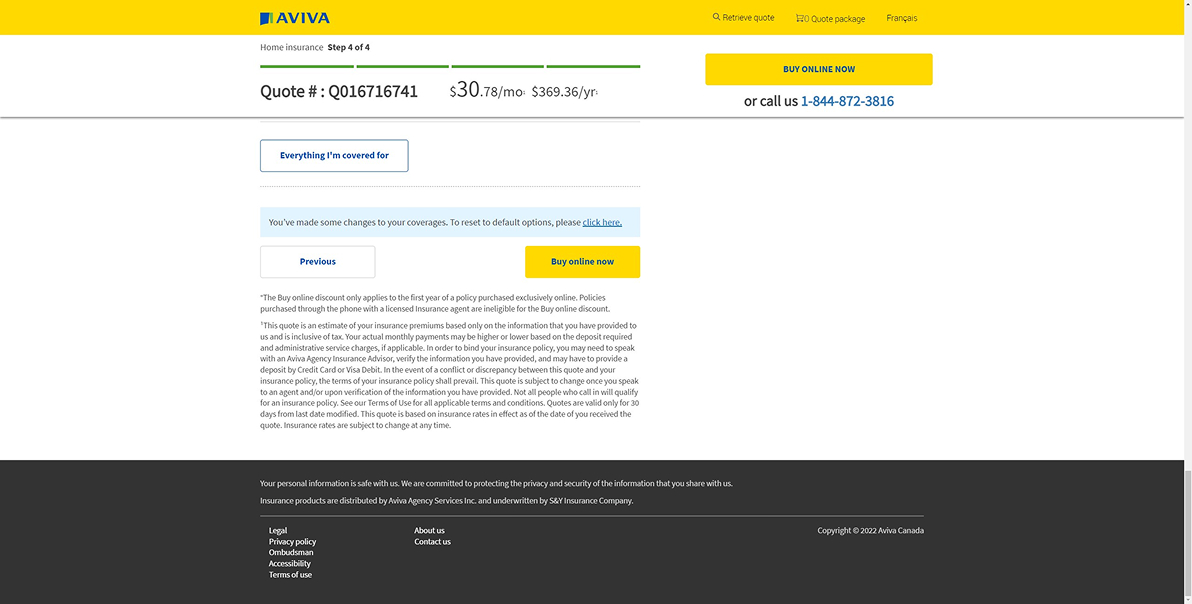
Review your quote, including your premium(price) and quote number. Note: The fixed header displays a “Buy online now” button, which is also available at the bottom of the page.
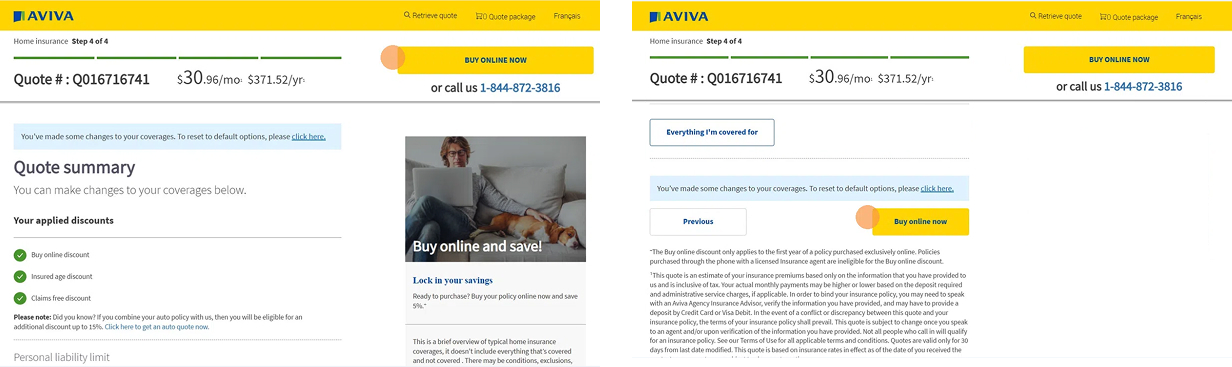
If the user does not qualify, the Buy online now button will not display. There will be instructions for the user to call support for further assistance.
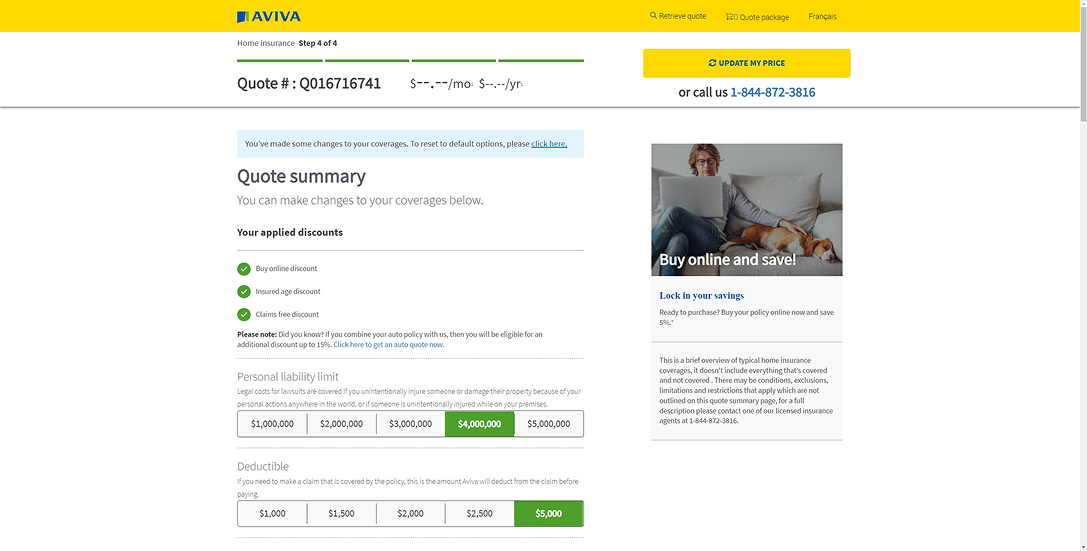
💡 Step 9: Update Your Options
Modify your selections to adjust your coverage.
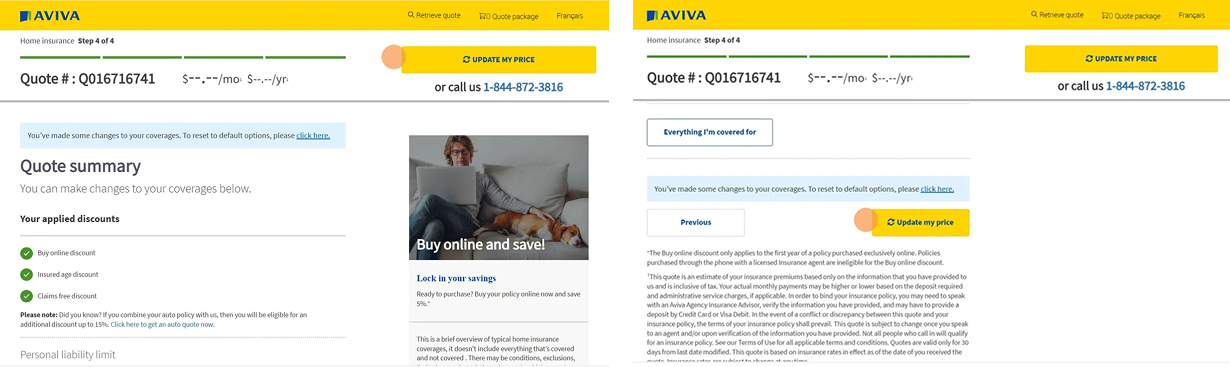
💡 Step 10: Refresh Your Price
Click “Update my price” to see your updated premium.
💡 Step 11: Proceed to Purchase
Click “Buy online now” to continue.
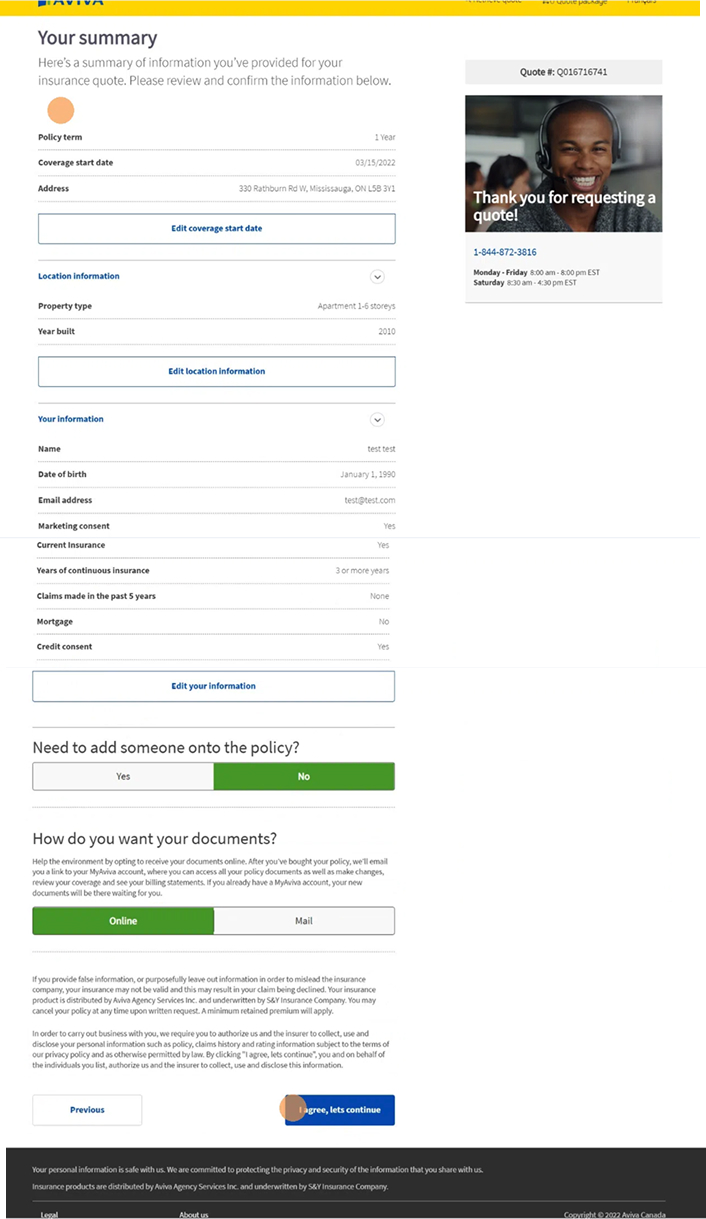
💡 Step 12: Review & Confirm Details
Verify your information, add policyholders if needed, and confirm your agreement.
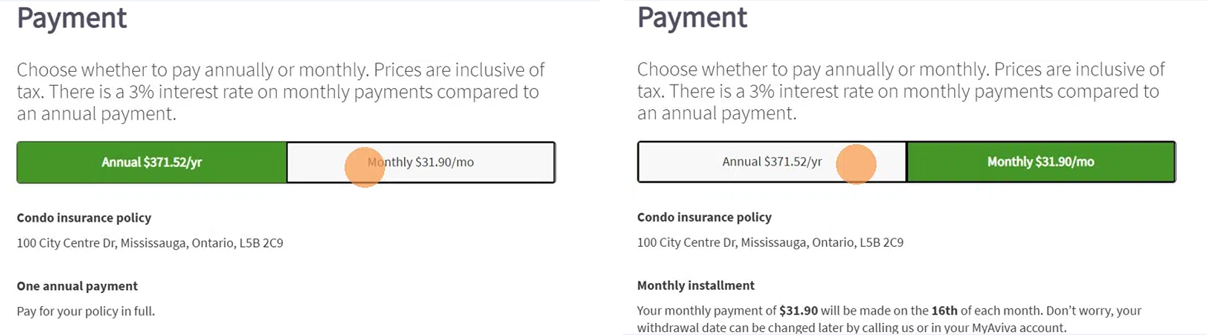
💡 Step 13: Choose Your Payment Plan
Select between annual or monthly payment options.
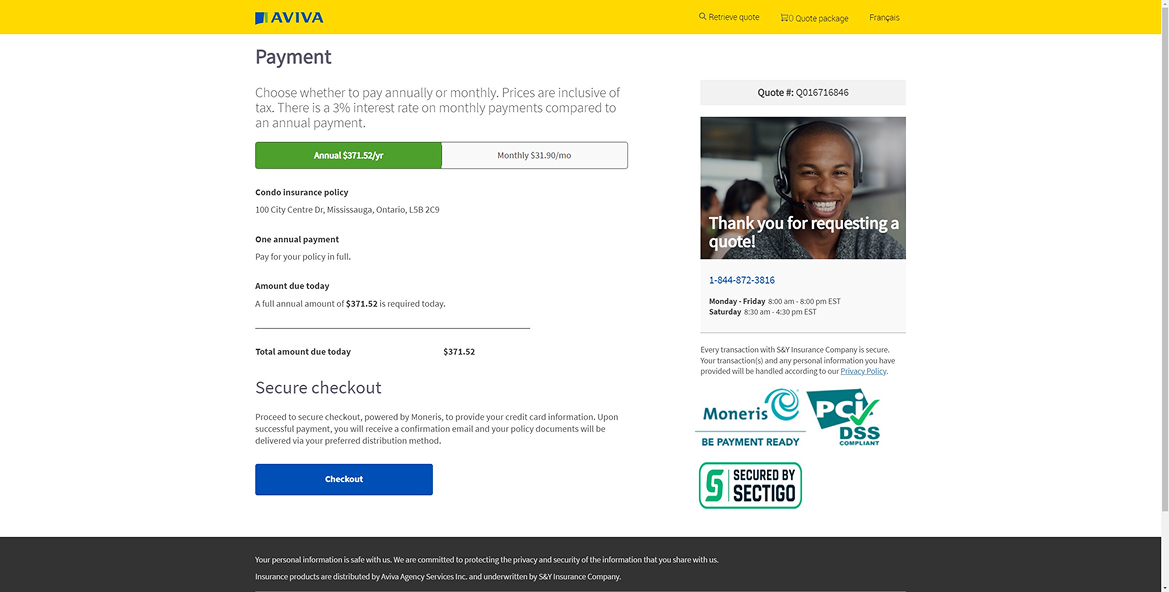
💡 Step 14: Checkout & Payment
Complete your purchase by proceeding to checkout.
💡 Step 15: You're Covered! 🎉
Your home insurance is now active.